Troubleshooting Electron 39.6.0 Tag Build Failure on Windows
It’s been quite a while since I last built Electron on Windows. Yesterday afternoon, I tried building the [email protected] tag, but it failed repeatedly. Strangely, the latest commit built without any issues. I ended up debugging it late into the night.
I tried both PowerShell and Command Prompt, rebuilt the entire source tree from scratch, and even restarted my machine — to no avail.
Reproduction Environment:
- Electron 39.6.0 (tag)
- Windows 10/11
- Tested in both PowerShell and Cmd
My first suspicion was a depot_tools version issue, but @electron/build-tools updates depot_tools automatically before starting the build, so that wasn’t the culprit.
Switching to the latest commit worked fine, confirming the problem wasn’t system-wide.
The error suggested running .\siso_failed_commands.bat to replay the failed commands. When I executed it manually, the build succeeded without errors.
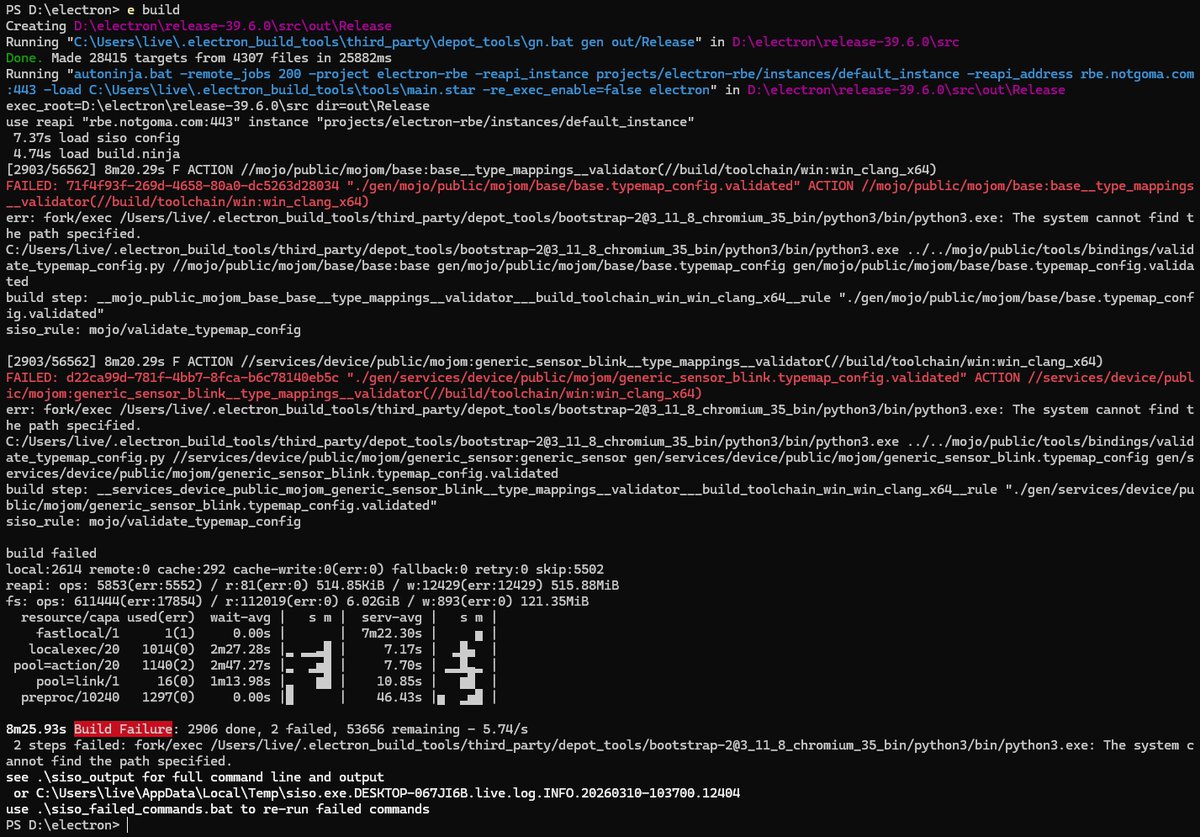
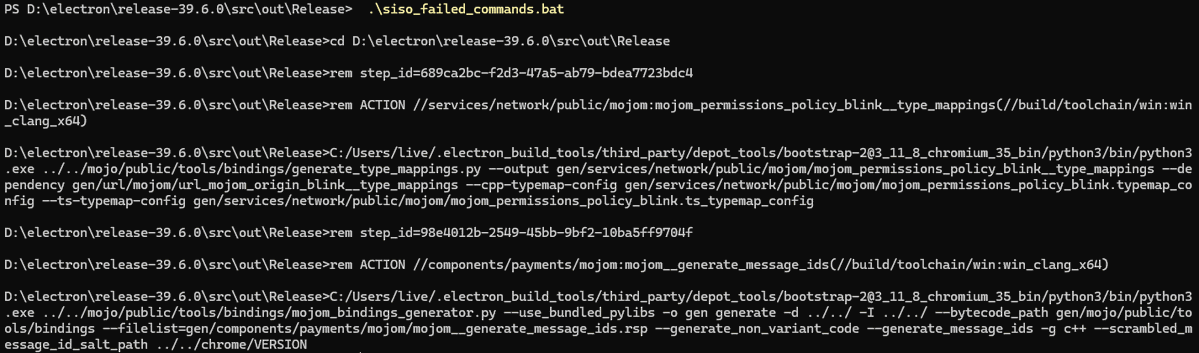
Manually running the batch file worked perfectly.
Taking a closer look at the error log, I spotted this:
err: fork/exec /Users/live/.electron_build_tools/third_party/depot_tools/bootstrap-2@3_11_8_chromium_35_bin/python3/bin/python3.exe: The system cannot find the path specified.The C: drive letter had been dropped. However, the path in siso_failed_commands.bat still included it.

This indicated that siso (the build executor) was stripping the drive letter prefix when spawning processes (C:\foo → \foo).
If the source code had been on the C: drive, the issue wouldn’t have occurred. On Windows, paths starting with / are resolved relative to the root of the current drive of the process.
By default, @electron/build-tools installs depot_tools to %USERPROFILE%\.electron_build_tools\third_party.
The siso process was running with its working directory set to the build output folder: D:\electron\release-39.6.0\src\out\Release.
Since my Electron source was on the D: drive, stripping the drive letter turned the Python path into:
D:/Users/live/.electron_build_tools/third_party/depot_tools/bootstrap-2@3_11_8_chromium_35_bin/python3/bin/python3.exe
Which obviously didn’t exist — hence “The system cannot find the path specified.” 🤷♂️
In short: the build only fails if depot_tools and the Electron/Chromium source tree are on different drives. This also explains why Electron’s CI always succeeds.
I eventually tracked the issue down to this Chromium change: https://chromium-review.googlesource.com/c/build/+/7134259
Root Cause: In Go, slices are reference types. Modifying a slice in place affects all references sharing the same backing array, causing the modification to be incorrectly propagated to later uses.
Fix: Use slices.Clone() to create an independent copy.
For now, my workaround is to keep the Electron source tree on the C: drive.