---
title: "读书笔记: 从 Lucene 到 Elasticsearch: 全文检索实战"
description: "笔记只有 Elasticsearch 搜索部分"
date: 2018-12-30
tags: ["elasticsearch","dsl","kibana"]
lang: zh-Hans
url: https://bugs.cc/zh/posts/reading-notes-from-lucene-to-elasticsearch-full-text-search/
translation: https://bugs.cc/posts/reading-notes-from-lucene-to-elasticsearch-full-text-search/
---
# 读书笔记: 从 Lucene 到 Elasticsearch: 全文检索实战
## 从 Lucene 到 Elasticsearch: 全文检索实战
当前的笔记只介绍 `Elasticsearch` 的搜索部分。
文章中的搜索都是在 `kibana` 的 `Dev tools` 进行查询的。
### 准备工作
需要安装 `Elasticsearch`、`kibana`、`elasticsearch-analysis-ik`
具体的安装方式,这里就不再阐述了。(安装完,记得重启 `Elasticsearch` )
重启完成后,打开 `kibana` 的 `Dev tools`,输入下面的 DSL 代码,并运行:
```js
PUT books
{
"settings": {
"number_of_replicas": 1,
"number_of_shards": 3
},
"mappings": {
"IT": {
"properties": {
"id": {
"type": "long"
},
"title": {
"type": "text",
"analyzer": "ik_max_word"
},
"language": {
"type": "keyword"
},
"author": {
"type": "keyword"
},
"price": {
"type": "double"
},
"year": {
"type": "date",
"format": "yyyy-MM-dd"
},
"description": {
"type": "text",
"analyzer": "ik_max_word"
}
}
}
}
}
```
运行好后,将下面的内容保存为 `books.json`:
```jsonl title="books.json"
{"index":{ "_index": "books", "_type": "IT", "_id": "1" }}
{"id":"1","title":"Java编程思想","language":"java","author":"Bruce Eckel","price":70.20,"publish_time":"2007-10-01","description":"Java学习必读经典,殿堂级著作!赢得了全球程序员的广泛赞誉。"}
{"index":{ "_index": "books", "_type": "IT", "_id": "2" }}
{"id":"2","title":"Java程序性能优化","language":"java","author":"葛一鸣","price":46.50,"publish_time":"2012-08-01","description":"让你的Java程序更快、更稳定。深入剖析软件设计层面、代码层面、JVM虚拟机层面的优化方法"}
{"index":{ "_index": "books", "_type": "IT", "_id": "3" }}
{"id":"3","title":"Python科学计算","language":"python","author":"张若愚","price":81.40,"publish_time":"2016-05-01","description":"零基础学python,光盘中作者独家整合开发winPython运行环境,涵盖了Python各个扩展库"}
{"index":{ "_index": "books", "_type": "IT", "_id": "4" }}
{"id":"4","title":"Python基础教程","language":"python","author":"Helant","price":54.50,"publish_time":"2014-03-01","description":"经典的Python入门教程,层次鲜明,结构严谨,内容翔实"}
{"index":{ "_index": "books", "_type": "IT", "_id": "5" }}
{"id":"5","title":"JavaScript高级程序设计","language":"javascript","author":"Nicholas C. Zakas","price":66.40,"publish_time":"2012-10-01","description":"JavaScript技术经典名著"}
```
然后进行导入。如果你安装的 `Elasticsearch` 版本小于 `6.0`,使用下面的命令进行导入 `books.json`:
```bash
curl -XPOST "http://localhost:9200/_bulk?pretty" --data-binary @books.json
```
如果你的 `Elasticsearch` 版本大于 `6.0`,则使用下面的命令进行导入:
```bash
curl -H "Content-Type: application/json" -XPOST "http://localhost:9200/_bulk?pretty" --data-binary @books.json
```
### 基本搜索
#### 返回指定 index 的所有文档
```js
GET books/_search
{
"query": {
"match_all": {}
}
}
```
可以简写为:
```js
GET books/search
```
#### 查找指定字段中包含给定单词的文档
使用 `term` 来进行查询,`term` 查询不会被解析,只有查询的词和文档中的词精确匹配才会被搜索到,应用场景为: 查询人名、地名等需要精准匹配的需求。
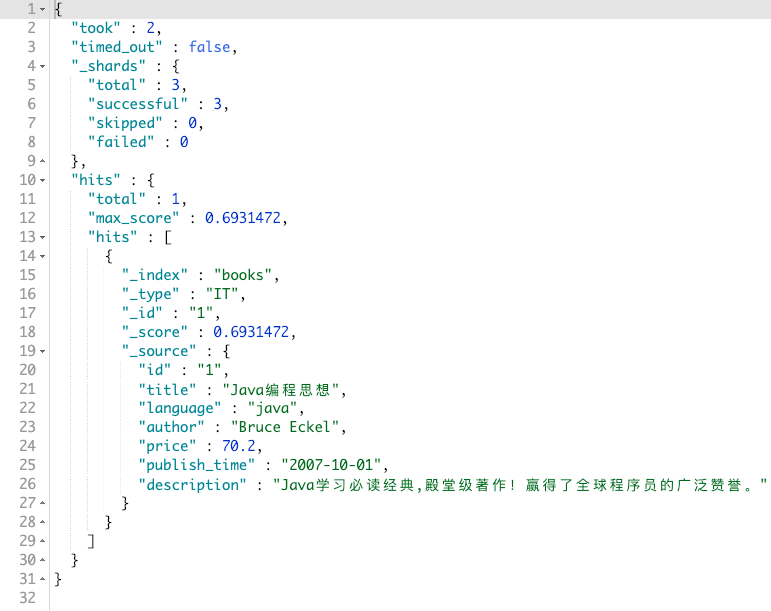
查询 title 字段中含有`思想`的书籍
```js
GET books/_search
{
"query": {
"term": {
"title": "思想"
}
}
}
```
返回如下:
#### 对查询结果进行分页
有时查询时,会返回成千上万的数据,这种情况下,分页的作用就出来了。
分页有两个属性,分别是 `from`、`size`
- from: 从何处开始
- size: 返回的文档最大数量
可以理解为: 我从 `from` 位置把剩下的文档全部返回,然后 `size` 限制了返回的数量。
用 js 代码来诠释就是:
```js
const from = 100 - 1; // 数组从 0 开始,需要减一
const size = 10;
const data = [1, 2, 3, ..., 999, 1000];
const fromDate = data.splice(from);
const result = fromData.splice(0, size);
console.log(result) //=> [100, 101, 102, 103, 104, 105, 106, 107, 108, 109]
```
#### 限制返回字段
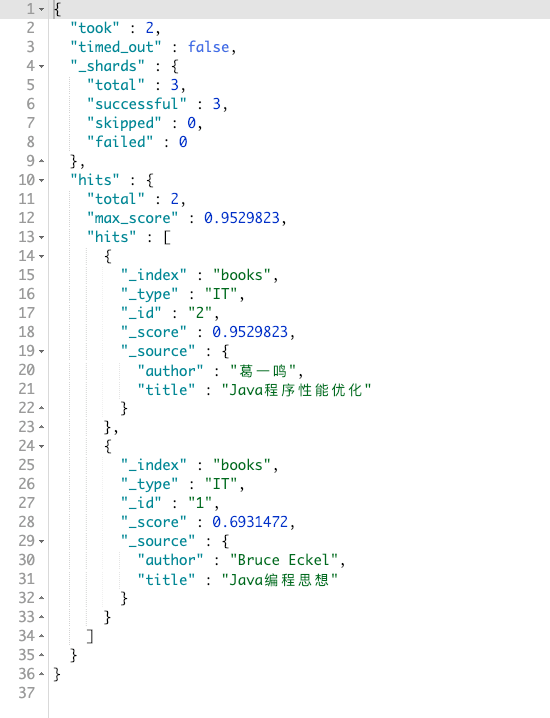
一般我们查询时,都是为了观察某一个字段,而不是想看全部的字段。而如果是默认情况下,`Elasticsearch` 会返回的文档的全部字段信息。会对工作造成一定的影响。于是,`Elasticsearch` 提供了一个接口,用于限制返回的字段。假设我只需要 `title` 和 `author` 字段:
```js
GET books/_search
{
"_source": ["title", "author"],
"query": {
"term": {
"title": "java"
}
}
}
```
结果如图:
#### 基于最小评分过滤
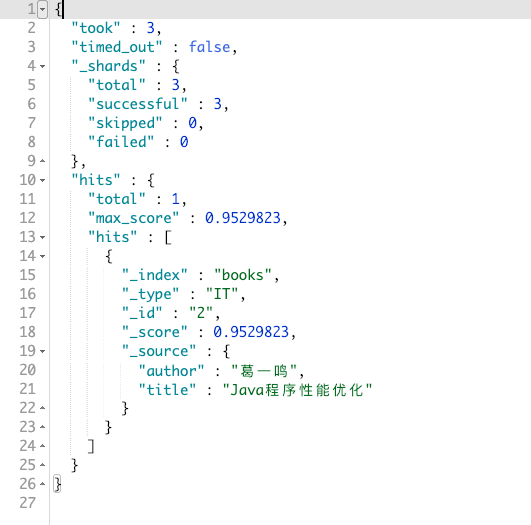
因为 `Elasticsearch` 在做普通的搜索时,是采用相关性进行搜索的,而相关性是由`评分` 取决的。所以当我们进行模糊搜索时,`Elasticsearch` 可能会返回一些相关性不那么高的文档。所以我们可以通过 `Elasticsearch` 提供的接口,来设置一个评分最低标准,低于这个标准的文档,将不会出现在结果页中。
比如,我想搜索 `title` 里包含 `java` 的文档,并且评分不低于 `0.7`:
```js
GET books/_search
{
"min_score": 0.7,
"query": {
"term": {
"title": "java"
}
}
}
```
结果如图:
#### 高亮关键字
有时,我们会把 `Elasticsearch` 结果直接导入到网页中,这个时候需要高亮关键字,让用户更加清楚自己想要的东西,`Elasticsearch` 已经提供了一个接口,比如我想让搜索出来的结果中的关键字高亮:
```js
GET books/_search
{
"_source": ["title"],
"min_score": 0.7,
"query": {
"term": {
"title": "java"
}
},
"highlight": {
"fields": {
"title": {}
}
}
}
```
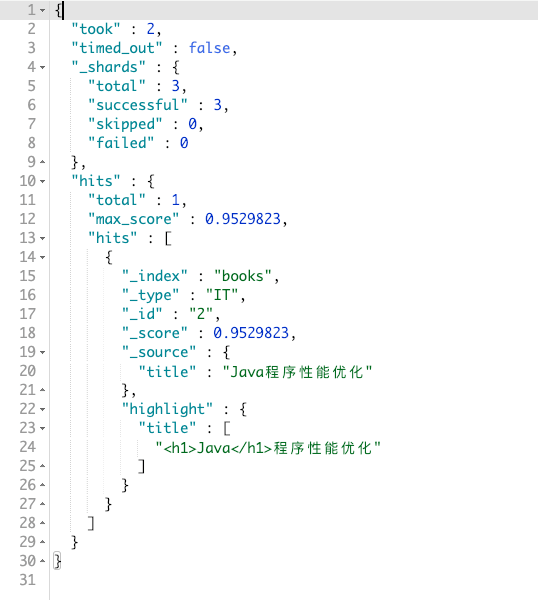
结果如图:
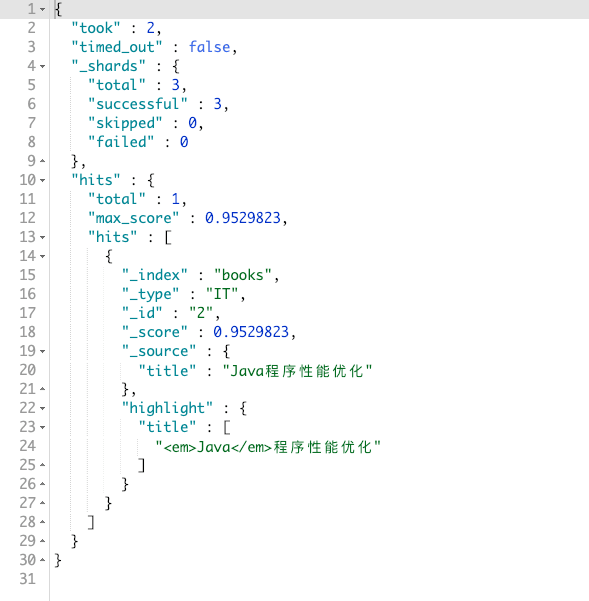
默认的标签是 ``,如果你想自定义,可以使用: `pre_tags` 和 `post_tags`。最终查询代码为:
```js
GET books/_search
{
"_source": ["title"],
"min_score": 0.7,
"query": {
"term": {
"title": "java"
}
},
"highlight" : {
"pre_tags" : [""],
"post_tags" : ["
"],
"fields" : {
"title" : {}
}
}
}
```
结果如图:
### 全文查询
上节基本都是以 `term` 进行搜索,但其实 `Elasticsearch` 提供了很多搜索方法,本章就是介绍 `Elasticsearch` 有哪些搜索方法、分别起的作用。
本章对 `common_terms query`、`query_string query`、`simple_query_string query` 没有解释说明,因为使用起来较少,而且解释起来较为麻烦。如果想了解,可以参考网上的文章。这里就不在阐述了。
#### match query
我们先使用 `term` 进行一次查询:
```js
GET books/_search
{
"_source": ["title", "author"],
"query": {
"term": {
"title": "java编程"
}
}
}
```
你会发现,其结果为空 (但是数据库里是有这个数据的),如图:
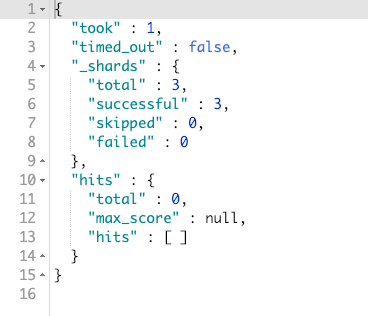
这是因为 `term` 是匹配分词后的词项来进行查询的。比如刚刚我们查的 `java编程`,在 `Elasticsearch` 进行分词时,会把 `java编程` 分为: `java` 和 `编程`。导致匹配不起来。
用代码诠释的话就是:
```js
const keyword = 'java编程';
const data = ['java', '编程'];
const result = data.includes(keyword);
console.log(result) //=> false
```
现在我们把 `term` 换成 `match` 来尝试下:
```js
GET books/_search
{
"_source": ["title", "author"],
"query": {
"match": {
"title": "java编程"
}
}
}
```
结果如图:
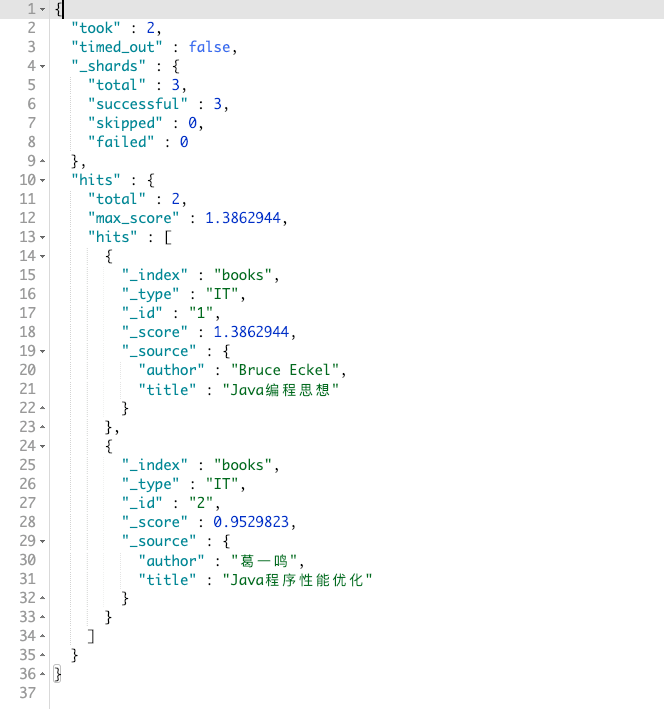
可以发现,已经有结果了,但是为什么会有两个呢?
原因是因为 `match` 会对你的关键字进行分词,然后去匹配文档分词后的结果,只要文档里的词项能匹配关键字分词后的任何一个,都会返回到结果里。
代码诠释:
```js
const data = ['java', '编程', '思想']; // 分词后的文档里的数据
const keywords = ['java', '编程', '思想']; // 分词后的关键字
const result = (() => {
for (let x = 0; x < data.length; x++) {
const dataItem = data[x];
for (let y = 0; y < keywords.length; y++) {
const keywordItem = keywords[y];
if (dataItem === keywordItem) {
return true;
}
}
}
return false;
})()
```
如果我只想让它返回一个呢,并且只能用 `match` 来做,可以么?
是可以的,`match` 提供了一个属性: `operator`。可以用这个来帮助完成这个需求:
```js
GET books/_search
{
"_source": ["title", "author"],
"query": {
"match": {
"title": {
"query": "java编程",
"operator": "and"
}
}
}
}
```
最终的结果如图:
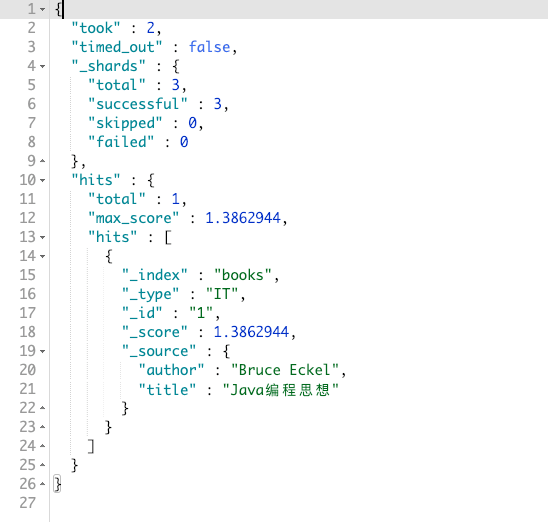
原理是因为 `operator` 属性的值为 `and`,这样的话,就告诉 `Elasticsearch` 我要让我的关键字都能和文档里的词项匹配上。有一个没匹配上,我都不要。
如果 `operator` 属性的值为 `or`,那结果就和之前是一样的了。
#### match_phrase query
你可以把这个方法理解为自带了 `operator` 属性的值为 `and` 的 `match`。
这个方法有两个限制条件,只有都满足,才会在结果中显示出:
- 分词后的所有词项都在该字段中,相当于 `operator: "and"`
- 顺序要一致
顺序一致指的是什么呢?
假设你使用 `match` 来匹配: `编程java`,那么结果还是和上面一样。所以如果你需要要求顺序一致性,那么你就可以使用 `match_phrase` 来做。
如果使用 `编程java` 来搜索:
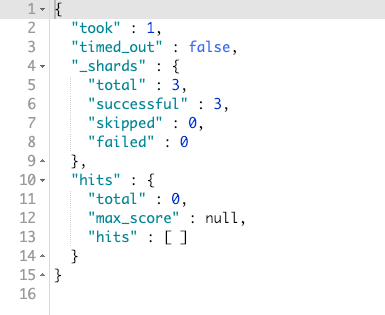
如果使用 `java编程`:
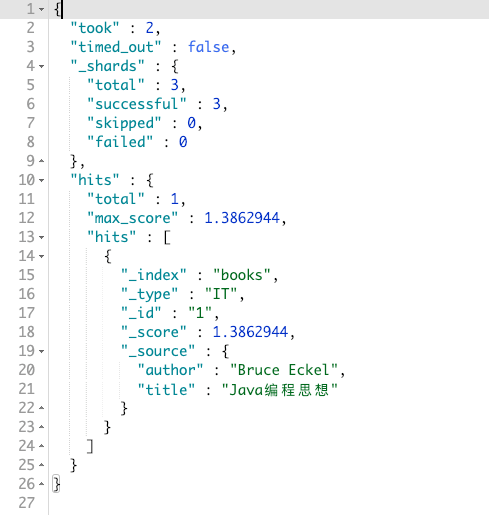
#### match_phrase_prefix query
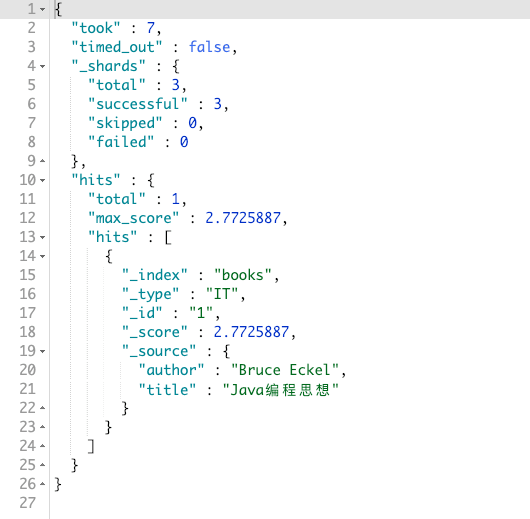
这个方法和 `match_phrase` 方法类似,不过这个方法可以可以把最后一个词项作为前缀进行匹配,想象一下: 用户在搜索栏中搜索 `辣鸡UZ`,然后下面列表中出现了 `辣鸡UZI`。
首先 `match_phrase_prefix` 会先分词为: `辣鸡`,然后找了一个文档,再然后匹配 `辣鸡` 后面的字符串是否以 `UZ` 开头的。这个时候文档满足条件,就返回出结果。可以假想后面一直有一个`(.*)`的通配符,如: `辣鸡UZ(.*)`。
知道原理了,我们现在写一个查询语句:
```js
GET books/_search
{
"_source": ["title", "author"],
"query": {
"match_phrase_prefix": {
"title": "java编"
}
}
}
```
结果如图:
#### multi_match query
`multi_match` 是 `match` 的升级方法,可以用来搜索多个字段。
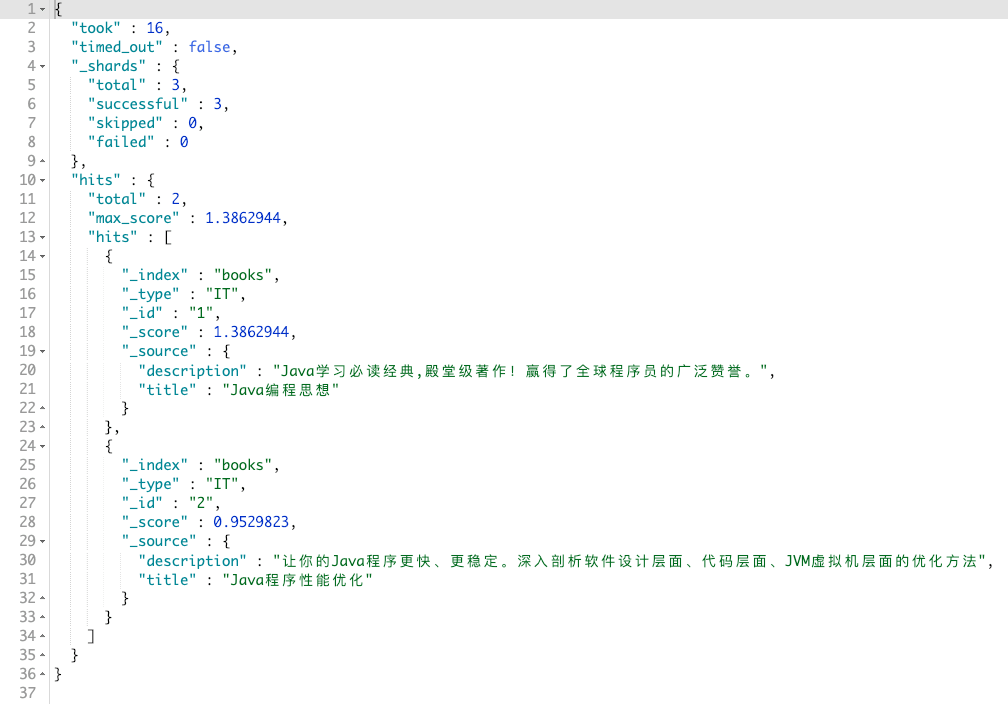
比如我不想只在 `title` 里搜索 `java编程`,我还想在 `description` 里进行搜索。那应该怎么做呢?
`Elasticsearch` 已经提供了 `multi_match` 专门用来处理这件事情:
```js
GET books/_search
{
"_source": ["title", "description"],
"query": {
"multi_match": {
"query": "java编程",
"fields": ["title", "description"]
}
}
}
```
最终结果如图:
并且 `multi_match` 还支持通配符。上面的查询语句,可以写成:
```js
GET books/_search
{
"_source": ["title", "description"],
"query": {
"multi_match": {
"query": "java编程",
"fields": ["title", "*tion"]
}
}
}
```
### 词项查询
上一章是全文查询,这一章是词项查询。他们俩的区别在于:
- 全文查询: 会对查询语句 (query) 进行分词,然后匹配文档里分词后的数据
- 词项查询: 不会对查询语句进行分词
#### term query
第一章节已经介绍过了,这里就不再阐述了。
#### terms query
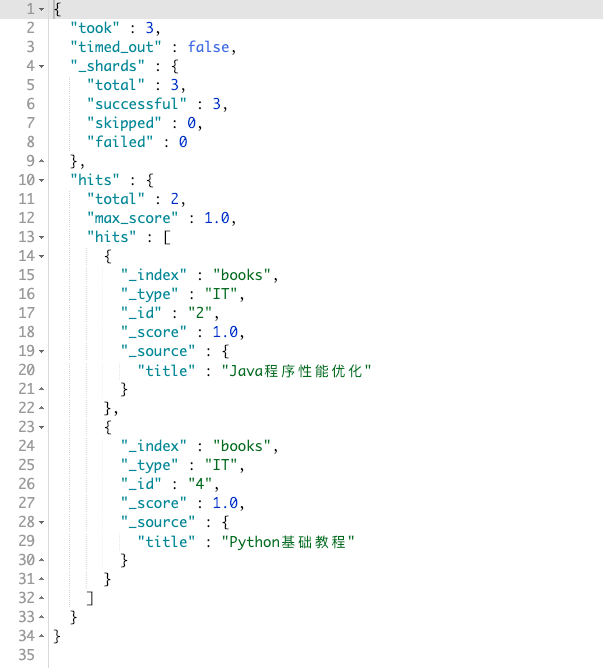
`terms` 是 `term` 查询的升级版本,可以用来查询文档中某一字段,是否包含了其关键字。比如,我想查询 `title` 字段中包含了 `优化` 或者 `基础` 的文档:
```js
GET books/_search
{
"_source": ["title"],
"query": {
"terms": {
"title": ["优化", "基础"]
}
}
}
```
其结果如图:
#### range query
从名字就能猜测出 `range` 是范围匹配。可以匹配 `number`、`date`、`string` (字符串范围查询比较特殊,比较少用,就不再阐述了)
`range` 支持以下查询参数:
- gt: 大于
- gte: 大于等于
- lt: 小于
- lte: 小于等于
##### number 范围查询
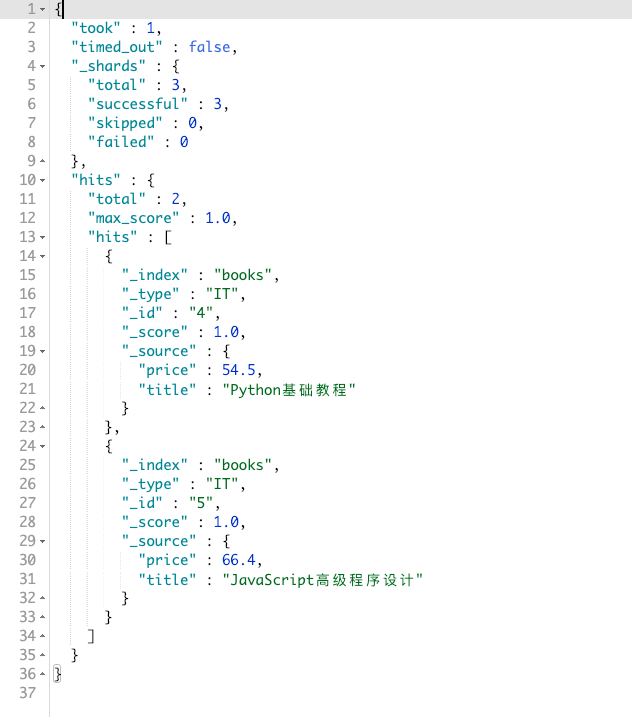
现在我想查询价格低于 70,并大于等于 50 的书籍。伪代码既: `(price >= 50 && price < 70)` :
```js
GET books/_search
{
"_source": ["title", "price"],
"query": {
"range": {
"price": {
"gte": 50,
"lt": 70
}
}
}
}
```
其结果如图:
##### date 范围查询
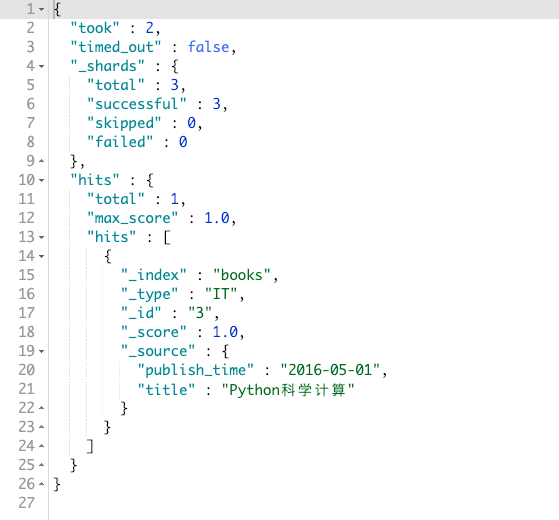
如果我想查询,出版日期在 `2016-1-1` 到 `2016-12-31` 之间的书籍,那么 DSL 查询语句就如同以下这样:
```js
GET books/_search
{
"_source": ["title", "publish_time"],
"query": {
"range": {
"publish_time": {
"gte": "2016-1-1",
"lte": "2016-12-31",
"format": "yyyy-MM-dd"
}
}
}
}
```
其结果如图:
#### exists query
匹配有这个属性的文档。比如我想找到存在 `title` 字段的文档:
```js
GET books/_search
{
"_source": "title",
"query": {
"exists": {
"field": "title"
}
}
}
```
结果会返回所有的文档。那么如何定义 `有这个属性` 呢?
定义的规则如下:
- `{"title": "js"}`: 存在
- `{"title": ""}`: 存在
- `{"title": ["js"]}`: 存在
- `{"title": ["js", null]}`: 存在 (有一个值不为空就行)
- `{"title": null}`: 不存在
- `{"title": []}` 不存在
- `{"title": [null]}` 不存在
- `{"foo": "bar"}`: 不存在
#### perfix query
用来匹配文档分词后的词项中的前缀。我们先写个 DSL 进行匹配下:
```js
GET books/_search
{
"_source": "description",
"query": {
"prefix": {
"description": "wi"
}
}
}
```
其结果如图:
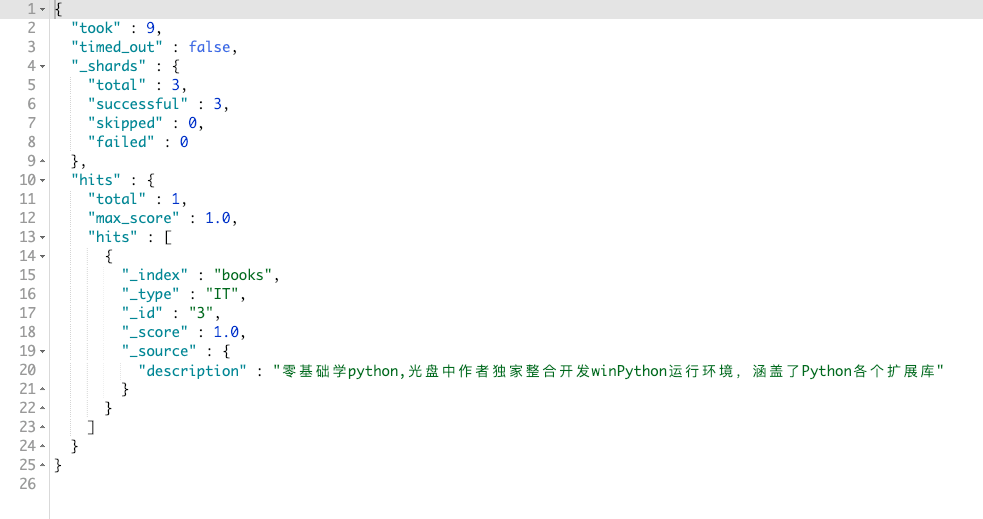
为何 `wi` 可以匹配到这个呢?因为 `Elasticsearch` 会对 `description` 进行分词,其中会把 `winPython` 分为 `win` `Python`。那么这两个就是文档分词后的词项,而 `prefix` 匹配每个词项的开头是否匹配,相当于 js 的 `startsWith` 方法。用代码诠释的话就是:
```js
const dataItem = ['win', 'python'];
const prefixKeyword = 'wi';
const result = dataItem.some(item => item.startsWith(prefixKeyword));
console.log(result); //=> true
```
#### wildcard query
`wildcard` 为通配符查询。不过目前只支持 `*` 和 `?`。所代表的含义为:
- `*`: 零个或多个
- `?`: 一个或多个
**注意: `wildcard` 不是匹配全文,还是会对文档的字段进行分词,然后应用于每个词项**
比如,我现在想查询 `wi*` 的文档:
```js
GET books/_search
{
"_source": "description",
"query": {
"wildcard": {
"description": "wi*"
}
}
}
```
其结果如图:
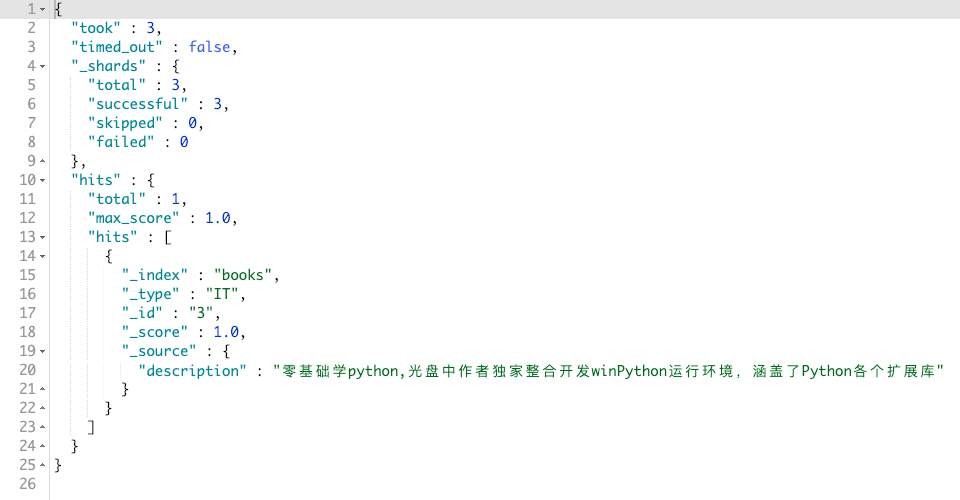
首先 `Elasticsearch` 会先对 `description` 进行分词为: `win` 和 `python`。然后 `wi*` 会应用到每个词项里,其中 `win` 符合规则,则显示在结果中。
如果我用 `win?`,则不会有任何的结果,因为 `?` 代表的是一个或多个。那么匹配到 `win` 的时候,后面没有字符串了,则结果为空。
#### regexp query
其为正则表达式查询,原理同 `wildcard`,这里就不在阐述了。
#### fuzzy query
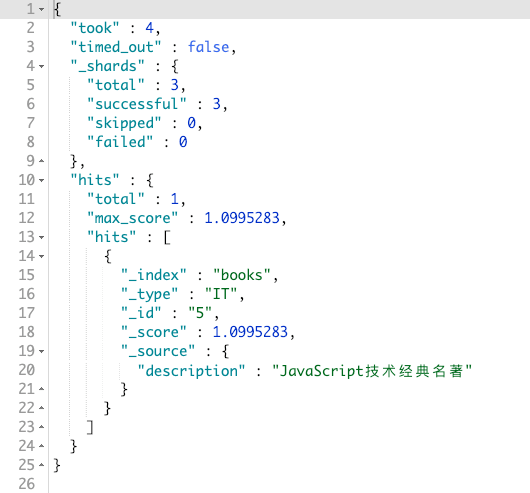
可以把 `fuzzy` 理解为模糊查询。比如用户输入关键字时,一不小心输入错了,变成了 `javascrpit`,那么 `fuzzy` 的作用就出来了。它仍可以搜索到 `javascript`:
```js
GET books/_search
{
"_source": "description",
"query": {
"fuzzy": {
"description": "javascrpit"
}
}
}
```
其结果如图:
### 复合查询
复合查询就是把简单的查询组合在一起,从而实现更加复杂的查询。并且复合查询还可以控制另一个查询的行为。
#### constant_score query
不太常用,用于对返回结果的文档进行打分。
这里就不在阐述了,如果感兴趣,可见: [[Elasticsearch] 控制相关度 (四) - 忽略 TF/IDF](https://blog.csdn.net/dm_vincent/article/details/42157577)
#### bool query
这个查询方法,还是非常重要的。这个方法提供了以下操作方法:
- must: 文档必须满足 `must` 下面的查询条件,相当于 `AND` 或者 `&&`
- should: 文档可以匹配 `should` 下的查询条件,匹配不出来也没事。相当于 `OR` 或者 `||`
- must_not: 和 `must` 相反,必须不满足 `must_not` 下面的查询条件,相当于 `!==`
- filter: 其功能和 `must` 一样,但是不会打分,也就说不会影响文档的 `_score` 字段
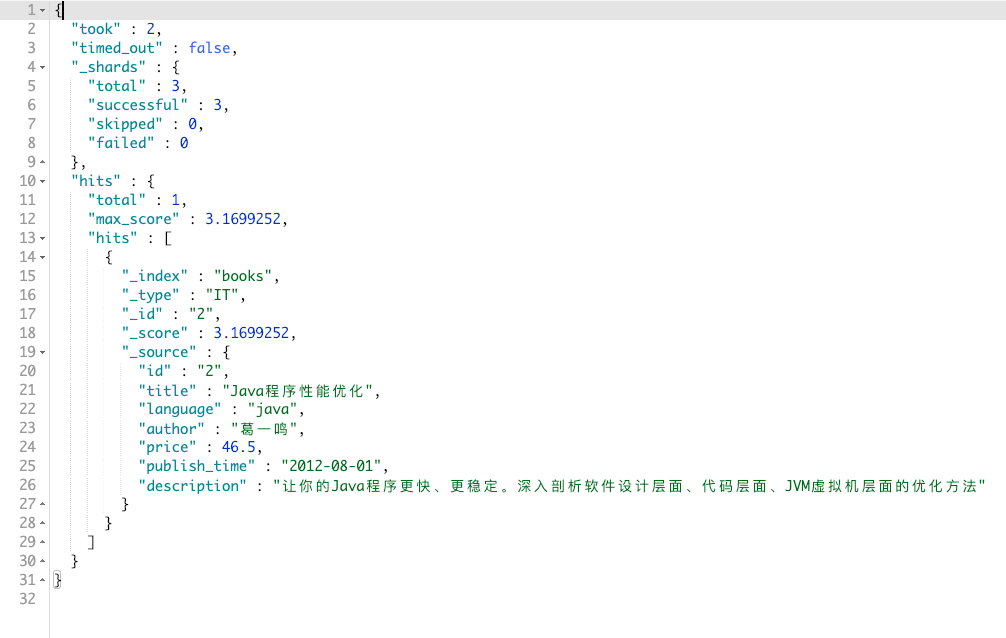
现在,我们想要查询: 书籍作者 (`author`) 是 `葛一鸣`,书籍名称 (`title`) 里包含 `java` 的书籍,价格 (`price`) 不能高于 `70` 低于 `40`,并且书籍描述 (`description`) 可以包含或者不包含 `虚拟机` 的书籍。
```js
GET books/_search
{
"query": {
"bool": {
"filter": {
"term": {
"author": "葛一鸣"
}
},
"must": [
{
"match": {
"title": "java"
}
}
],
"should": [
{
"match": {
"description": "虚拟机"
}
}
],
"must_not": [
{
"range": {
"price": {
"gt": 70,
"lt": 40
}
}
}
]
}
}
}
```
其结果如图:
#### dis_max query、function_score query、boosting query
这三个就不在阐述了,其主要作用是关系到 `_score`,也就是关系到查询的结果的评分。感兴趣的,可以在网上搜下。