
Build / debug Electron source
This post uses the
CLionIDE andmacOSOther IDEs and systems can follow the same approach
Intro
electron’s official build docs have some problems. If you follow them exactly, you will not be able to debug.
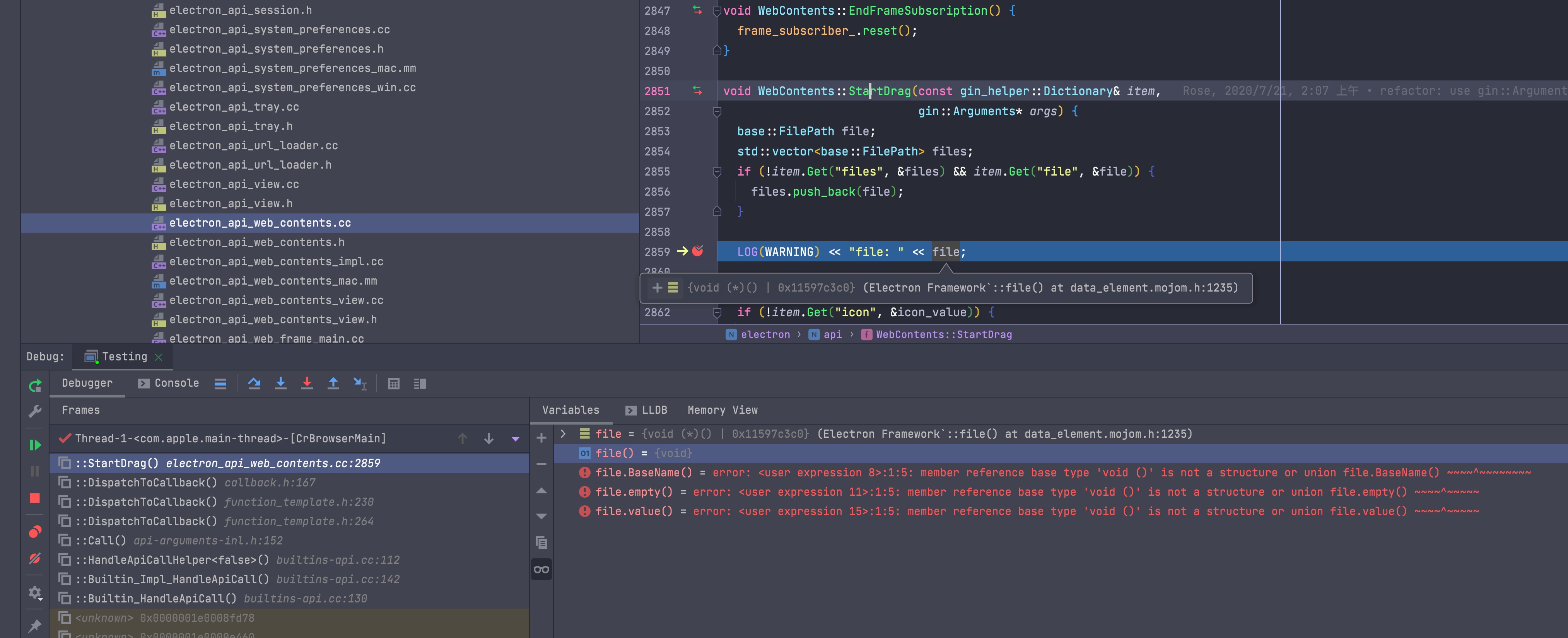
The symptom is that LLDB cannot show variables or context for the current frame. It looks like this:
Build
To skip the unimportant parts, I will start from where the official docs go wrong.
Official build docs:
Before you start, make sure your macos SDK is correct. See: Setting macOS SDK
The commands in “A note on pulling/pushing” are already wrong. The correct commands are:
cd src/electrongit remote remove origingit remote add origin https://github.com/electron/electron# from here on it differsgit fetchgit checkout maingit pull --rebase origin maingit branch --set-upstream-to=origin/mainThe docs then tell you to run gclient sync -f. That command sometimes fails on dugite. See: Dugite download failure workaround
This next part is the point of the post
After you finish the commands above, you also need to edit build/config/compiler/compiler.gni.
Change
forbid_non_component_debug_builds = build_with_chromiumto:
forbid_non_component_debug_builds = falseWithout this step, gn gen will fail:
ERROR at //build/config/compiler/compiler.gni:302:3: Assertion failed. assert(symbol_level != 2 || current_toolchain != default_toolchain || ^-----Can't do non-component debug builds at symbol_level=2See //BUILD.gn:12:1: whence it was imported.import("//build/config/compiler/compiler.gni")
Then when you run gn gen, use this command instead of the official one:
gn gen out/Testing --args="import(\"//electron/build/args/testing.gn\") is_debug=true symbol_level=2 $GN_EXTRA_ARGS"If you want ccache, use:
gn gen out/Testing --args="import(\"//electron/build/args/testing.gn\") cc_wrapper=\"ccache\" is_debug=true symbol_level=2 $GN_EXTRA_ARGS"Then build:
ninja -C out/Testing electronDebug (CLion)
If you want to debug with CLion, first make sure ninja -C out/Testing electron has succeeded.
Don’t open CLion yet. First create a CMakeLists.txt in the root directory (the same level as src), with this content:
cmake_minimum_required(VERSION 3.20)project(electron)
set(CMAKE_CXX_STANDARD 14)
set(CMAKE_CXX_FLAGS_DEBUG "${CMAKE_CXX_FLAGS_DEBUG} -O0")
include_directories(${CMAKE_CURRENT_SOURCE_DIR}/src)include_directories(${CMAKE_CURRENT_SOURCE_DIR}/src/electron)include_directories(${CMAKE_CURRENT_SOURCE_DIR}/src/out/Testing/gen)
add_executable(electron_exec ${CMAKE_CURRENT_SOURCE_DIR}/src/electron/shell/app/electron_main.cc)
This file is so CLion can index the code and provide completion. Without it, IDE hints will completely fail.
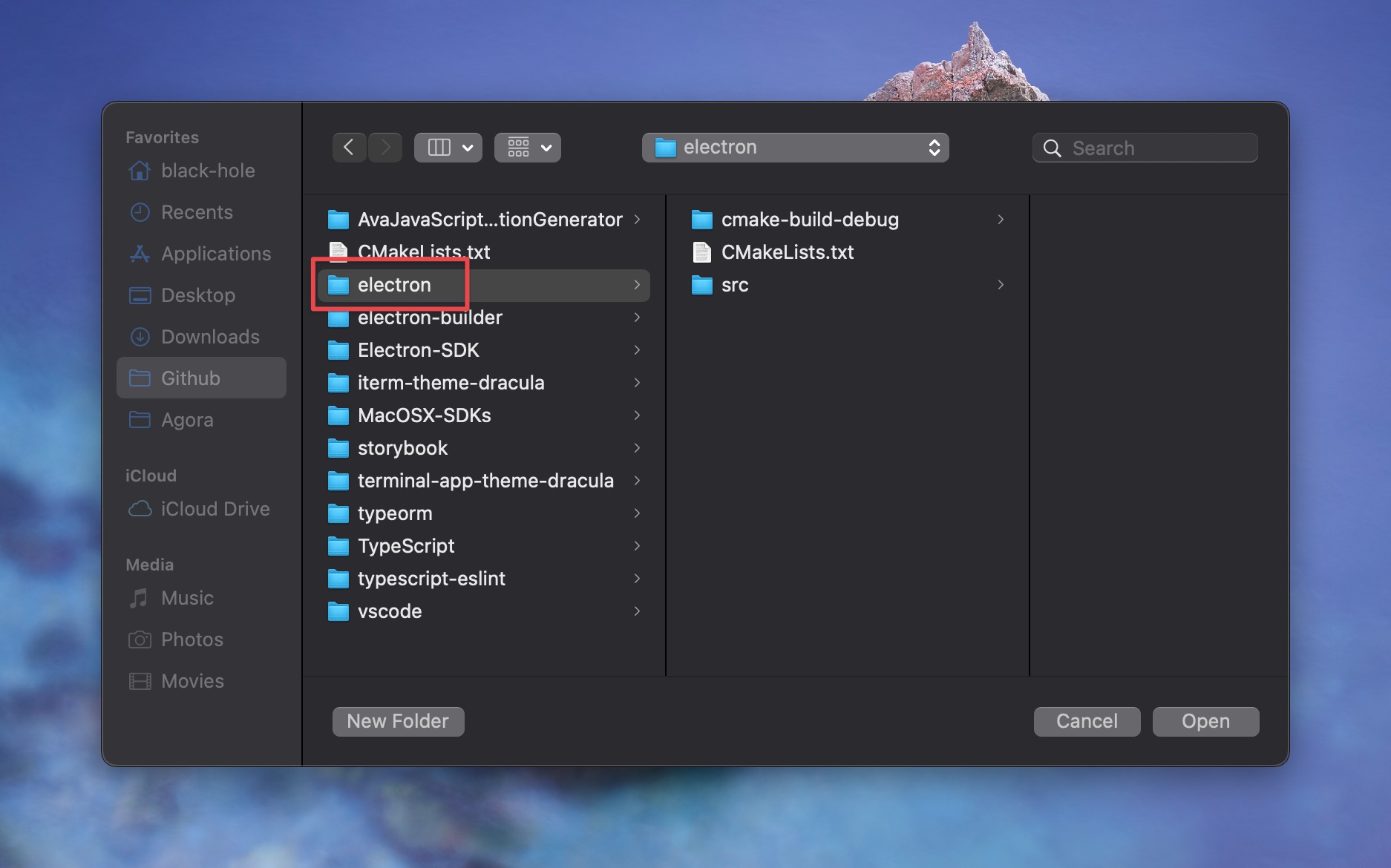
Then open the project in CLion. The project root should look like this:
After opening, you may need to wait tens of minutes for CLion to build / refresh the cache.
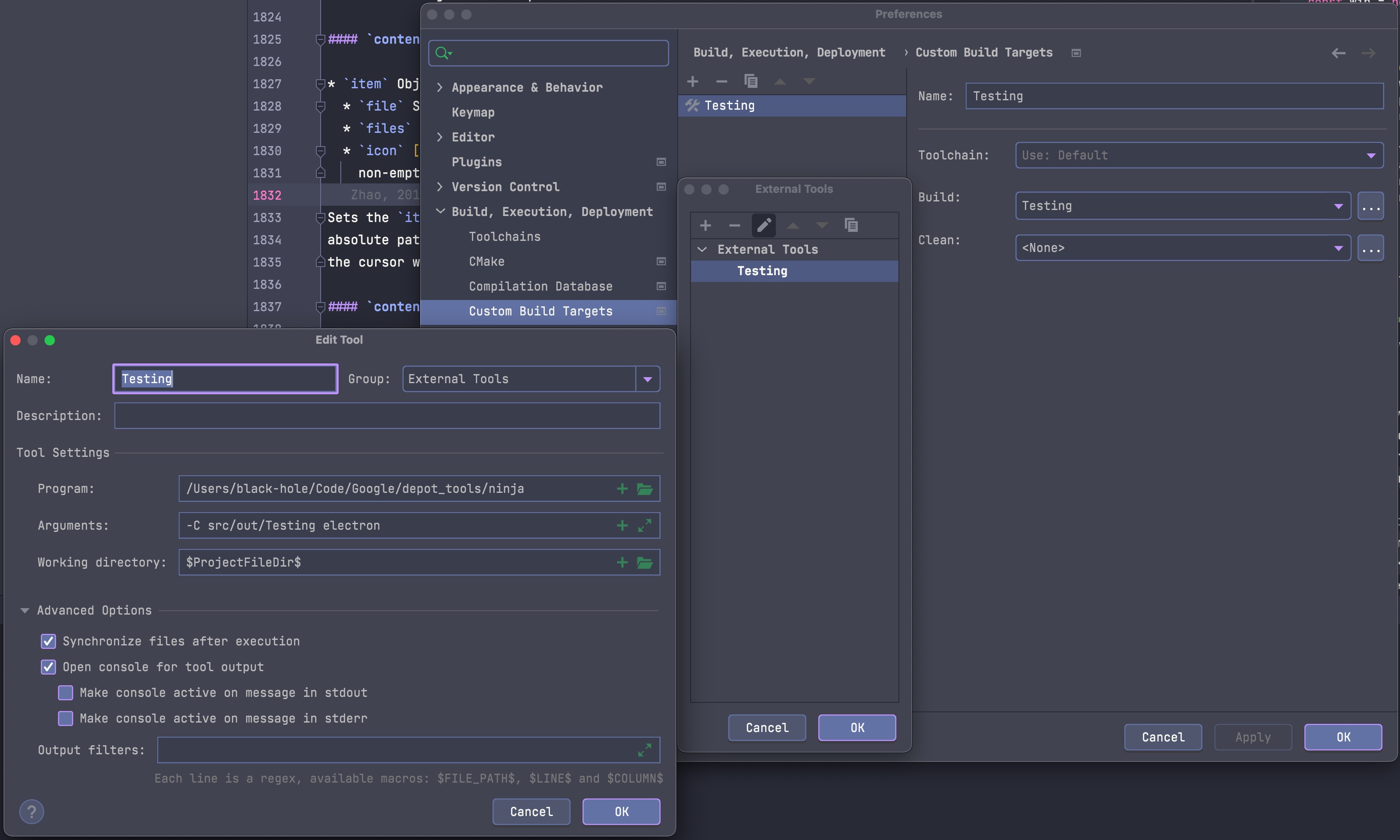
Open in order: Setting -> Build, Execution, Deployment -> Custom Build Targets -> + -> Set Build.
It should look like this:
Then set Run/Debug Configurations, as shown:
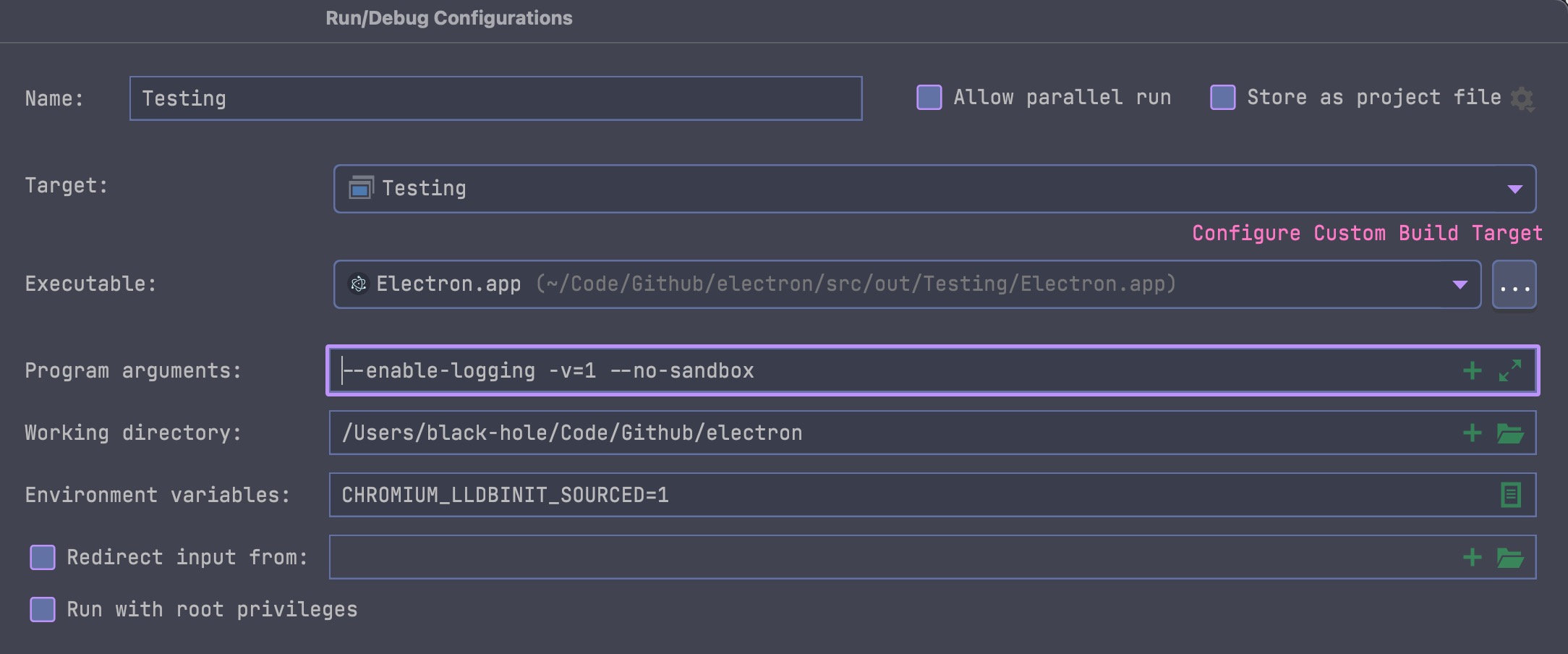
If you want to open your own app with the Electron you built, add the app path in Program arguments.
Also add CHROMIUM_LLDBINIT_SOURCED=1, otherwise you cannot debug Chromium source.
After that, one more setting is required, otherwise debugging still will not work:
Create ~/.lldbinit with:
script sys.path[:0] = ['/Users/black-hole/Code/Github/electron/src/tools/lldb']script import lldbinitReplace the path with your own.
The official docs mention this too, but if you follow their command script import ~/electron/src/tools/lldb/lldbinit.py, it will not work. I don’t know why.
The new ~/.lldbinit format is based on Chromium’s.
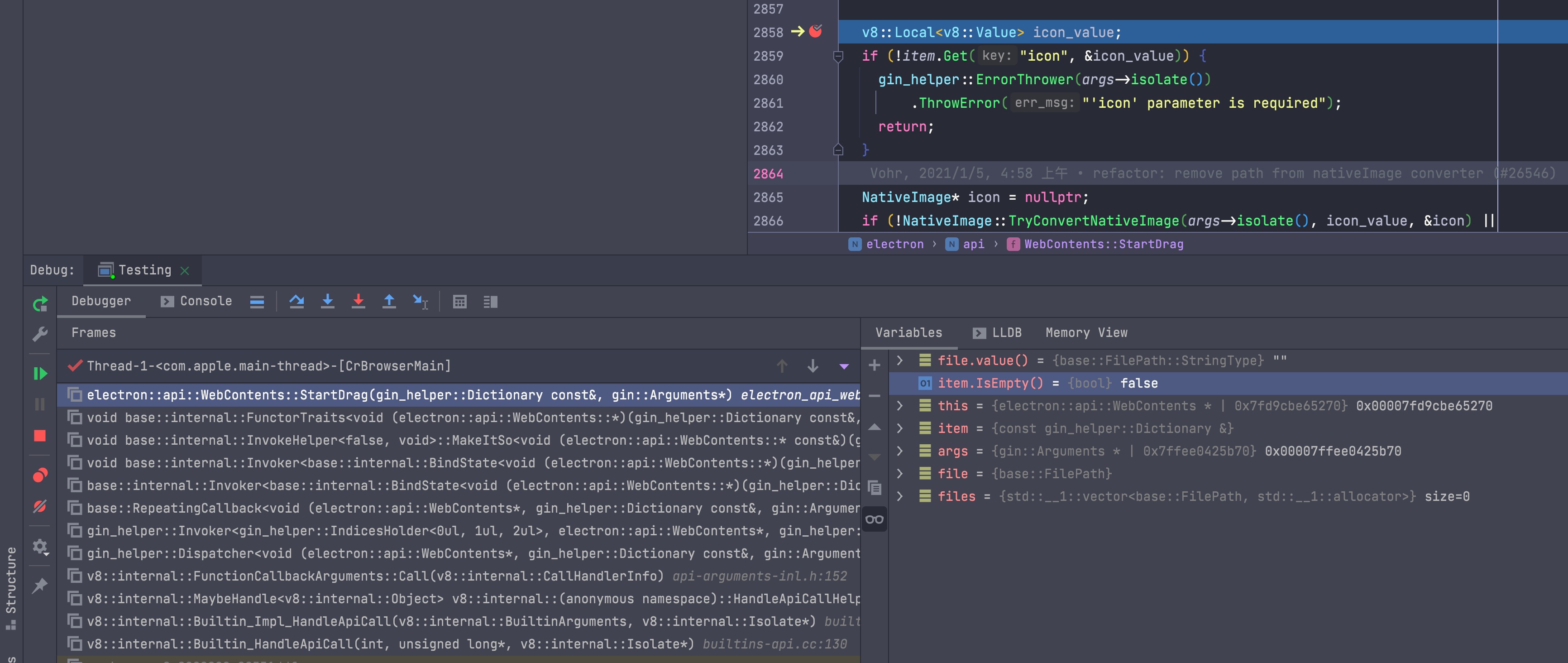
Then breakpoints work, as shown:
Issues
Setting macOS SDK
Per Electron’s official docs, it is best to use MacOSX11.0.sdk.
Download MacOSX11.0.sdk from MacOSX-SDKs (opens in a new tab) into /Applications/Xcode.app/Contents/Developer/Platforms/MacOSX.platform/Developer/SDKs/
That is all.
Dugite download failure workaround
When you run gclient sync -f to sync, you may hit:
error /Users/black-hole/Code/Github/electron/src/electron/node_modules/dugite: Command failed.Exit code: 1Command: node ./script/download-git.jsArguments:Directory: /Users/black-hole/Code/Github/electron/src/electron/node_modules/dugiteOutput:Downloading Git from: https://github.com/desktop/dugite-native/releases/download/v2.29.3-2/dugite-native-v2.29.3-3d467be-macOS-x64.tar.gzError raised while downloading https://github.com/desktop/dugite-native/releases/download/v2.29.3-2/dugite-native-v2.29.3-3d467be-macOS-x64.tar.gz GotError [RequestError]: Client network socket disconnected before secure TLS connection was established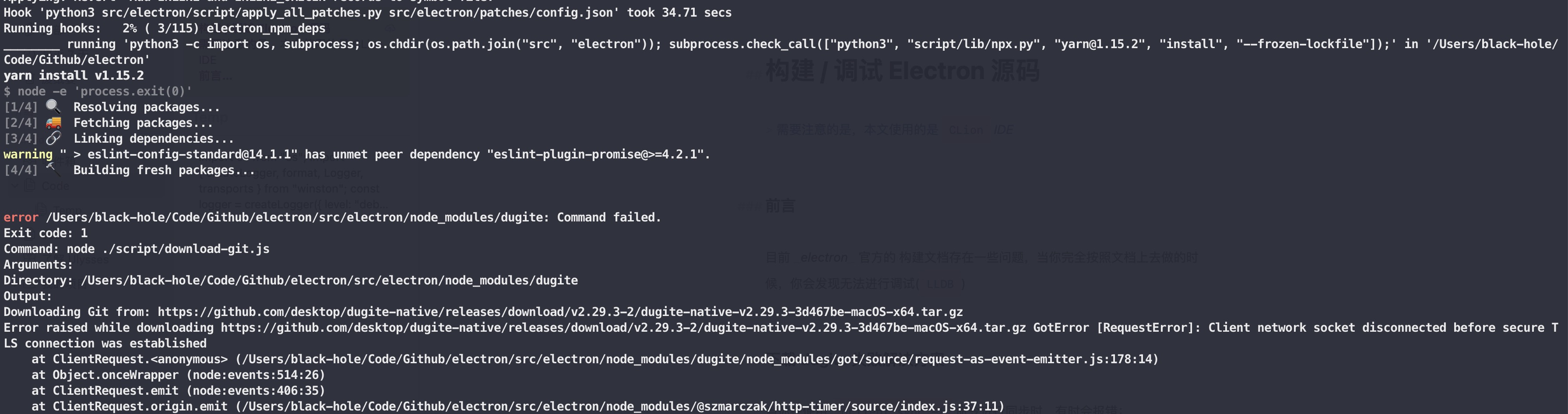
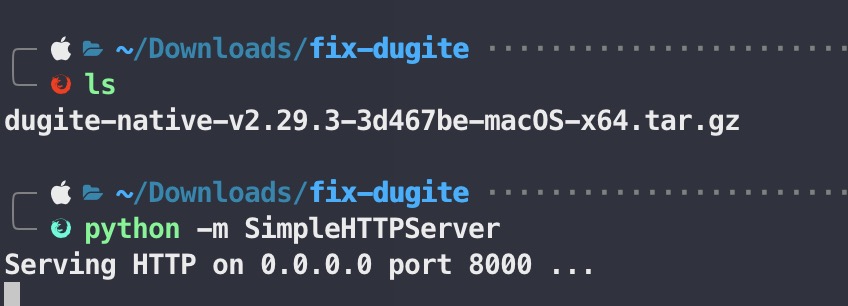
The reason is that dugite does not pick up your machine’s proxy when it downloads the binary. You can download it in a browser, then start an http server with python -m SimpleHTTPServer, like this:
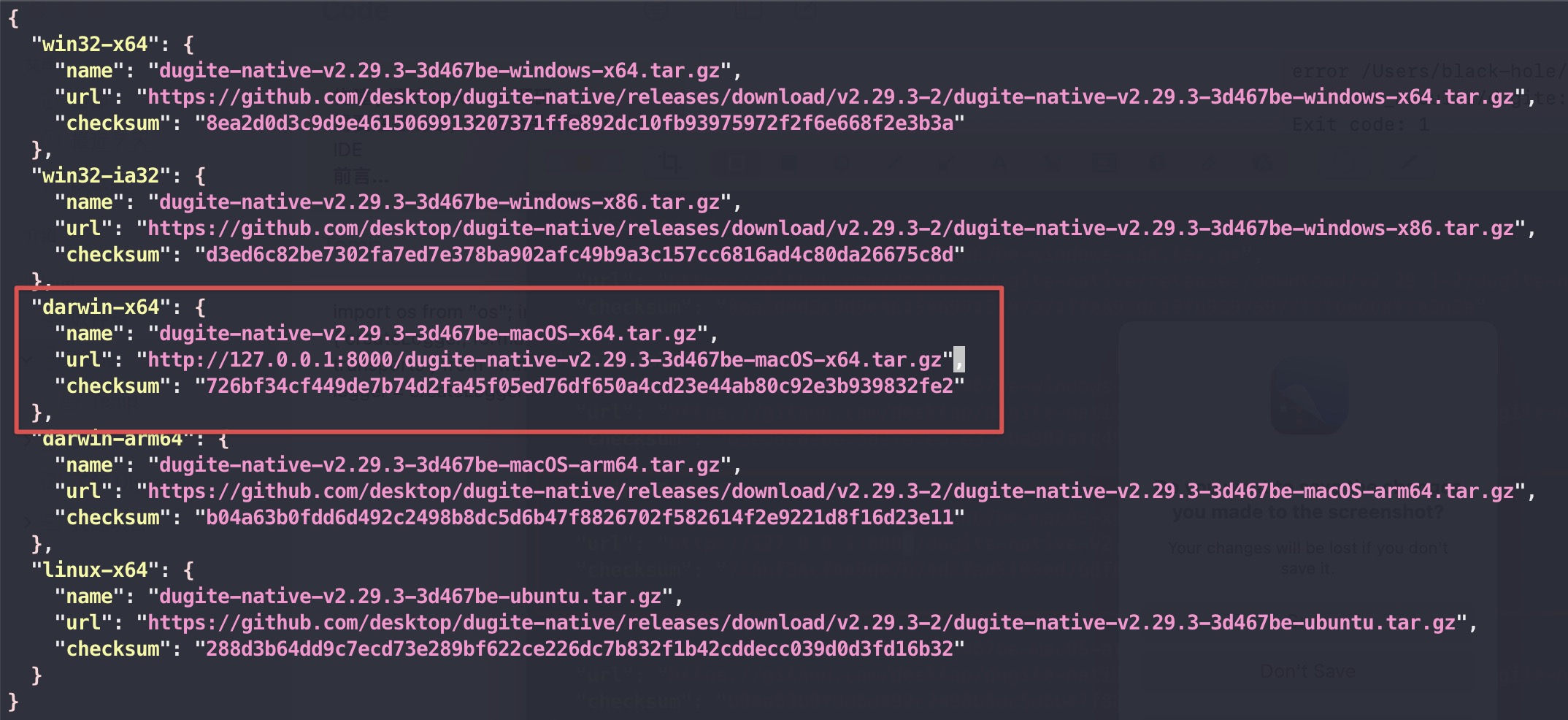
Then edit src/electron/node_modules/dugite/script/embedded-git.json to:1
Then run:
cd src/electron/node_modules/dugitenode ./script/download-git.jsAfter that, run gclient sync -f again and it should succeed.
Footnotes
-
The field you change depends on the OS. Edit the entry that matches your system. ↩
Reply to this post on X (opens in a new tab)View as Markdown